
All products

Product / 15 / Education

Download - MistakeBook: Exam Flashcards

Turn mistakes into focused revision with exam flashcards.

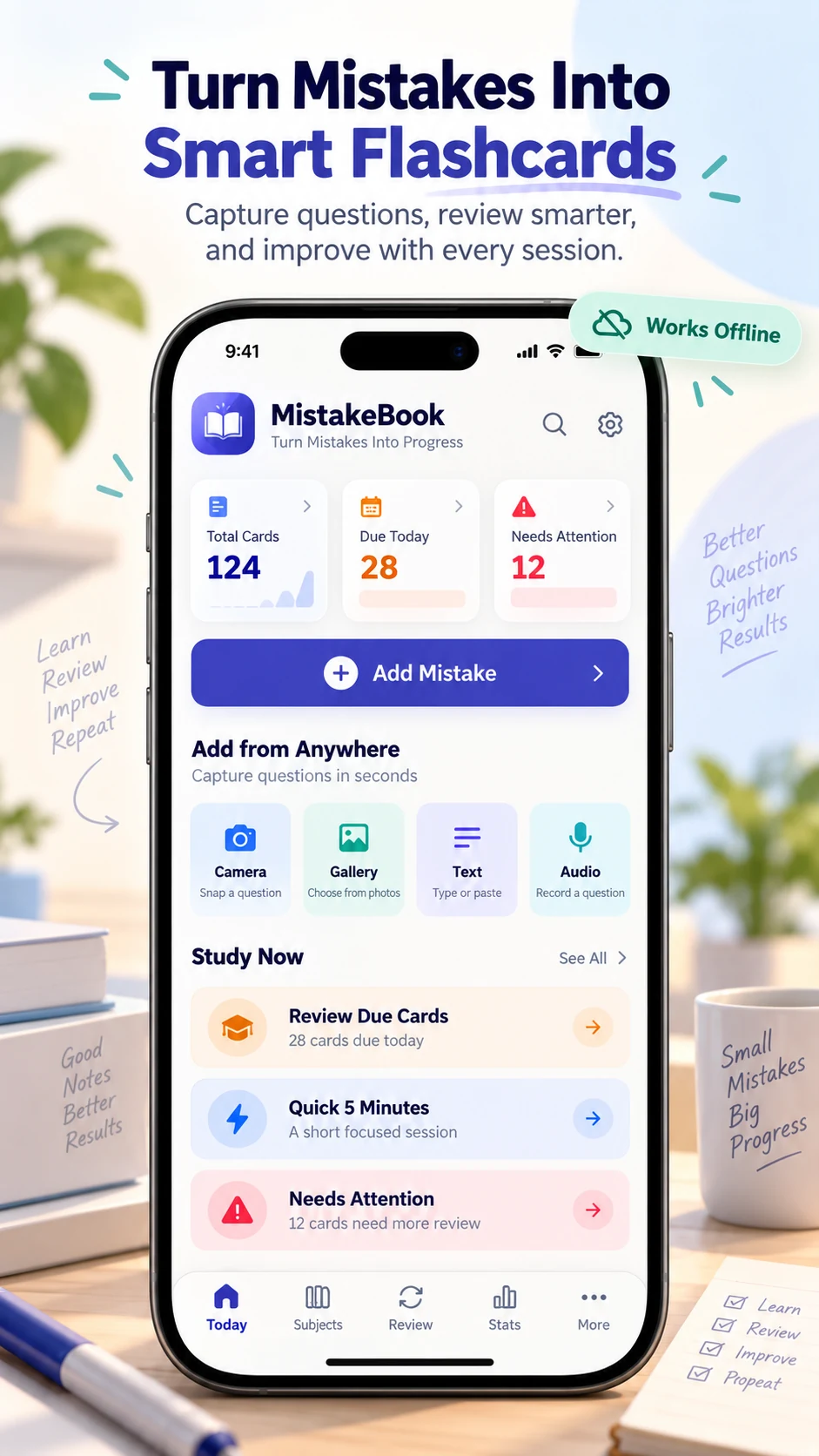
Capture questions, record what went wrong and review the correct method with spaced repetition. Keep text, photos and audio notes together in an offline study notebook.

Explore life & learning · Free to download on Google Play

MistakeBook app screenshot 1MistakeBook app screenshot 2
Published on Google PlayMistakeBook

Turn mistakes into focused revision with exam flashcards.

Keep the lesson behind each wrong answer

Save the question, your original answer, the correct method and a note about why the mistake happened. A short next-time reminder gives each card context when you return to it.

Review with active recall and spaced repetition

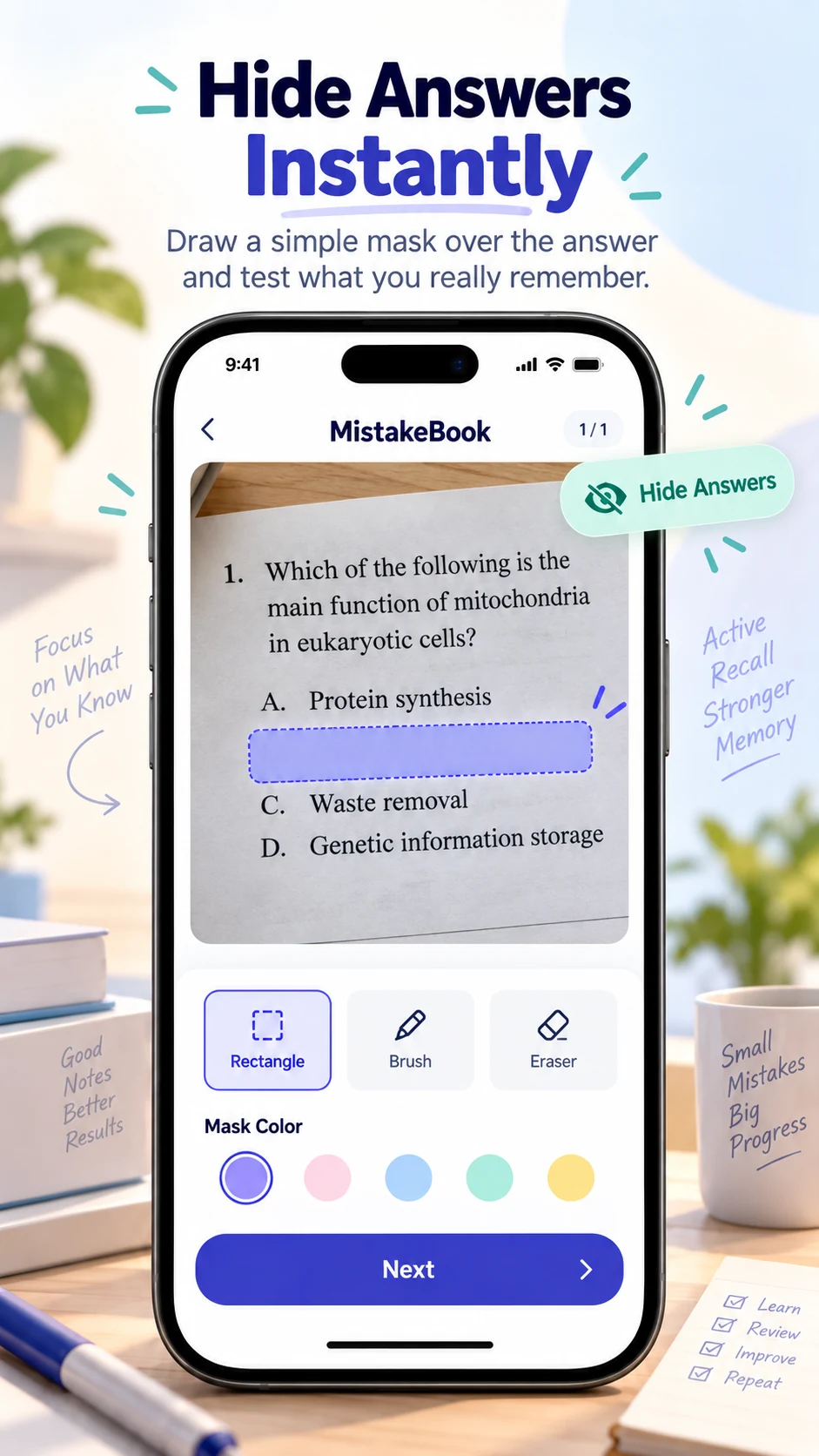
Hide the answer until you are ready, then rate your recall to help schedule future reviews. Use scheduled cards for ongoing revision or separate practice for extra exam preparation.

Organize revision around your subjects

Group material by subject, chapter, exam or tag. Review due cards, recurring mistakes and weak topics, or begin a focused five-minute session when time is short.

Keep your study library recoverable

Create a local backup or choose optional Google Drive backup and restore. Backups include study media, answer masks, review history and schedules; they do not provide live editing across devices.

Learn with MistakeBook

Practical guides, with real product images.

All MistakeBook guides →

Capabilities

What the product is built to do.

01

Photo, text and audio flashcards

02

Answer masks for active recall from photographed questions

03

Wrong answers, corrections and mistake-reason notes

04

Spaced repetition with Again, Hard, Good and Easy recall ratings

05

Quick five-minute revision sessions

06

Subjects, chapters, exams, tags and search filters

07

Review history and weak-topic tracking

08

Local backup and optional Google Drive backup

Quick answers

Frequently asked questions.

Can I turn a photographed question into a flashcard?

Yes. Capture or import a question photo, crop or rotate it, then mask the answer area so you can test yourself before revealing the solution.

Does MistakeBook work offline?

Saved questions, photos, recordings, notes and review history are stored on the device and remain available offline. Optional Google Drive backup requires an internet connection.